Email setup in a B2B SaaS company is as technical and consequential as SEO, but most teams never formally audit it. IT usually owns DNS and Google Workspace or Microsoft 365, while Marketing and Sales buy and run their own sending tools. No one owns the full architecture, and most platforms keep working even when the setup is nowhere near a gold standard, so misconfigurations sit unnoticed for a long time.
This guide is a step-by-step implementation checklist you can hand back and forth between Marketing, Sales, and IT to audit what exists and standardize the architecture. It covers how to map your four mail streams, how to choose domains and subdomains, how to isolate infrastructure, how to configure SPF, DKIM, and DMARC, how to match tools to streams, and how to warm new sending identities so they hold up over time.
TL;DR
- Every B2B SaaS company runs four email streams whether anyone planned them or not: human, transactional, marketing, and sales outreach. Each carries a different volume, recipient pattern, and engagement profile.
- The root problem is ownership. IT controls DNS and the workspace, Marketing and Sales buy their own sending tools, and no one owns the full architecture, so misconfigurations sit unnoticed because mail still mostly works.
- Separation is the gold standard, not a trick. Put each stream on its own domain or subdomain and its own infrastructure so a risky stream cannot drag down the ones you cannot afford to lose.
- Reputation is tracked per domain and subdomain, and domain age matters most. Subdomains inherit some trust from the parent at creation, then build their own, which makes them the default choice for transactional, marketing, and most outreach.
- Sales outreach has three tiers: the primary domain for low-volume warm sending (30 to 40 a day), a dedicated subdomain at higher volume (50 to 100+), and a separate domain for mass cold outreach.
- SPF, DKIM, and DMARC are the authentication layer. Configure SPF and DKIM for every legitimate sender first, run DMARC at p=none to monitor, then ramp to quarantine and ultimately reject without breaking real mail.
- Match tools to streams so separation happens by default, and never mix marketing and transactional on one tool unless it truly isolates streams.
- Warm new subdomains and IPs slowly, then treat them as compounding assets. Monitor authentication, blocklists, and complaint rates weekly, and budget a small block of expert time if you lack the skill internally.
The four streams at a glance
Every B2B SaaS company runs four mail streams.
Each has a different volume, recipient pattern, and engagement profile, so each earns its own sending identity and tooling.
| Stream | From-domain | Typical tooling | Priority |
|---|---|---|---|
| Human | Primary domain bill@acme.com |
Google Workspace, Microsoft 365 | Protect first |
| Transactional | Subdomain notifications.acme.com |
Postmark, Resend, SES | Must deliver |
| Marketing | Subdomain news.acme.com |
HubSpot, ActiveCampaign, Outkeep | Bulk, medium risk |
| Sales outreach | Domain, subdomain, or separate by volume |
Salesloft, Outreach, Instantly | Highest variance |
1. Map the Four Email Streams and Decide What Belongs in Each
Before you touch a single DNS record, get Marketing, Sales, and IT to agree on what your company actually sends and where each kind of mail should come from.
Goal
Create a shared map of your email streams, then assign a domain or subdomain and a sending tool to each stream so reputation and risk are separated intentionally.
Why it matters
Each stream has different volume, recipient patterns, and engagement behavior. When you mix them on the same domain, subdomain, or infrastructure, the risky stream drags down the safer ones. The goal is to make the differences explicit so inbox providers can evaluate each stream on its own merits, working with their best practices rather than gaming spam filters.
Implementation steps
- Inventory every system that sends mail “as you.” Include:
- Google Workspace or Microsoft 365 mailboxes
- Your app’s transactional provider (or internal SMTP)
- Your ESP (newsletters, nurtures, lifecycle)
- Your sales engagement tool (sequences)
- Any cold outreach infrastructure, agencies, or secondary domains
- Any additional gateways or security layers (Mimecast, Barracuda, Proofpoint)
- Categorize everything into four streams:
- Human email (day-to-day): firstname@acme.com on the primary corporate domain, typically Google Workspace or Microsoft 365.
- Transactional email (must deliver): receipts, billing comms, password resets, alerts, account and security notices, onboarding sequences, behavioral nudges like “come back” or “complete this task.”
- Marketing email (one-to-many): newsletters, nurture sequences, lifecycle campaigns, content distribution.
- Sales outreach (three volume tiers): low-volume warm outreach (roughly 30 to 40 targeted emails per rep per day) can be acceptable from the primary domain if it is respectful and you are not seeing issues; higher-volume outreach (50 to 100+ per rep per day) should move to a dedicated outreach subdomain; mass cold outreach at agency-style volume (multiple inboxes, thousands per week or day, tens of thousands per month) typically needs a separate sending domain.
- Decide “what goes where” and write it down in a simple spec:
- Approved from-domains and subdomains per stream
- Approved tools per stream
- Volume expectations per stream (especially for outreach)
- A rule that transactional and human streams are protected first
Ownership and handoffs
- Marketing and Sales should own the stream map and the “what belongs where” rules.
- IT should own DNS, workspace configuration, and the enforcement controls (SPF, DKIM, DMARC).
- The handoff artifact should be a single shared inventory: tool, then stream, then from-domain or subdomain, then DNS records required, then owner.
2. Choose Domains vs. Subdomains Based on Reputation, Age, and Isolation
Your primary domain carries human mail and nothing risky, and everything else earns its own subdomain.
Goal
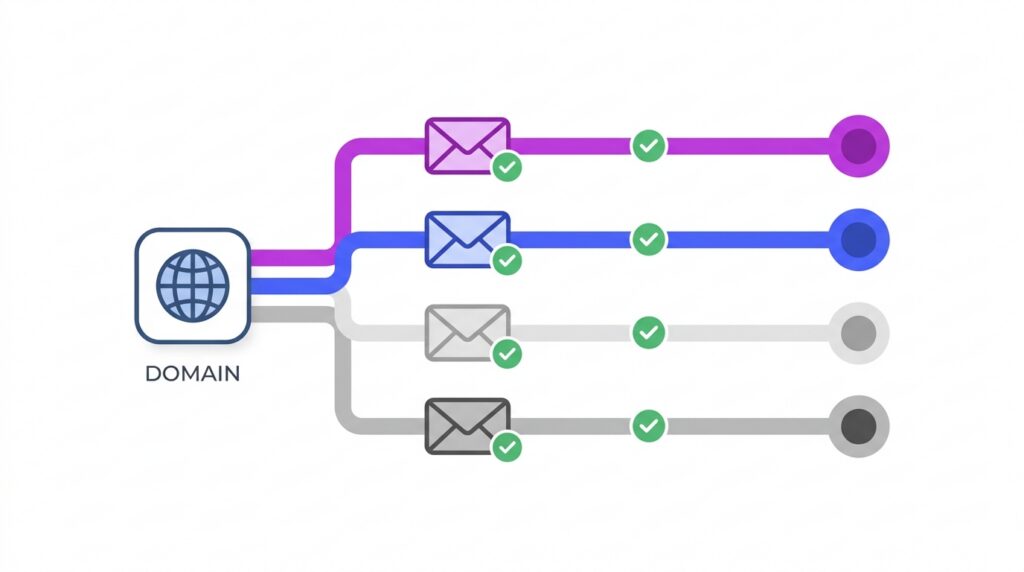
Use the primary domain for human mail, then use subdomains for transactional, marketing, and most outreach, reserving separate domains for truly high-risk, high-volume cold outreach.
Why it matters
Reputation in email is primarily tied to domains and subdomains. The single most important component of reputation is domain age: older domains with consistent, clean history are trusted more. New domains without history often see intermittent deliverability for a year or two, even when everything else is configured correctly. Subdomains are useful because they start with some inherited trust from the parent domain, then build mostly sandboxed reputation going forward, so you get both leverage and isolation.
Outreach by volume
Sales outreach has three setups, and volume picks the tier.
Match the sending identity to how much you send per inbox, so high-volume risk never touches mail you cannot lose.
Warm, respectful sending can run from your human domain as long as you are not generating issues.
Move to outreach.acme.com or gtm.acme.com to isolate reputation while keeping brand trust.
Agency-style volume needs its own sending domain (acme.io, getacme.com) so it cannot touch your brand.
Implementation steps
- Keep human email on the primary domain (acme.com). This is ground zero and should be protected with the strongest authentication and security you have.
- Create dedicated subdomains for:
- Transactional: notifications.acme.com, alerts.acme.com, receipts.acme.com, noreply.acme.com
- Marketing: news.acme.com, marketing.acme.com, info.acme.com, connect.acme.com, hello.acme.com
- Moderate outreach: outreach.acme.com, sales.acme.com, letters.acme.com, gtm.acme.com (rep sends as bill@gtm.acme.com)
- Use a separate sending domain only when the outreach pattern justifies it:
- Alternate TLDs like acme.io, acme.ai, or a variation like getacme.com, buyacme.com, acmehq.com
- Accept the tradeoffs: weaker brand recognition, added redirects back to the main site, and eventual association between domains in some systems
- Document the “inheritance then sandbox” expectation:
- New subdomains benefit from the parent domain’s standing at creation
- From that point on, behavior on the subdomain builds its own reputation and should not meaningfully affect the parent domain
Ownership and handoffs
- Marketing and Sales define naming conventions and which subdomains they need.
- IT creates DNS entries and ensures there is no overlap or accidental reuse across streams.
- If an agency runs cold outreach, require them to disclose every sending domain they use and how it routes back to your brand.
3. Isolate Infrastructure So IP Reputation Is Segmented by Stream
Separation only does its job when it reaches the infrastructure layer, where IP reputation actually lives.
Goal
Ensure each stream is separated not only by domain or subdomain, but also by sending infrastructure, which usually means different tools and different IPs or IP pools.
Why it matters
Under the hood, every sending server or pool has an IP reputation. Separating streams across tools often naturally separates IP reputation, which further prevents one stream’s risk profile from dragging down another. This aligns with how inbox providers evaluate mail at scale.
Implementation steps
- Align tools to streams so separation happens by default:
- Human mail stays in Google Workspace or Microsoft 365.
- Transactional mail stays in a transactional provider.
- Marketing mail stays in an ESP.
- Outreach uses sales engagement tooling, and mass cold uses separate infrastructure when it exists.
- Understand shared vs. dedicated IPs using the practical analogy:
- Shared IPs are like an apartment building. Your reputation is pooled with other tenants. A good pool can help new or low-volume senders, but bad neighbors can affect you.
- Dedicated IPs are like a standalone house. You own all the reputation. Neighbors cannot affect you, but you must warm and maintain it yourself through consistent, responsible sending.
- Treat stream separation as the default control:
- If marketing performance declines, you still want transactional and human mail landing reliably.
- If outreach gets noisy, you still want receipts, password resets, alerts, and day-to-day mail protected.
Ownership and handoffs
- IT and Marketing should jointly confirm whether any platform is mixing streams behind the scenes, especially when a tool claims it can support multiple types of sending.
- Sales leadership should align volume expectations with the correct outreach tier, since volume drives when you must move to an outreach subdomain or separate domain.
4. Configure SPF, DKIM, and DMARC, Then Ramp DMARC Enforcement
Authentication is where “set up partially” quietly becomes “mail that never arrives.”
The authentication layer
SPF, DKIM, and DMARC in plain English.
Three DNS records that prove your mail is really from you, and tell receivers what to do when it is not.
Who can send as you
Lists the servers authorized to send from your domain. Mail from anywhere else is not legitimate.
Proof it was not altered
Signs each message with a private key the receiver verifies against a public key in DNS.
What to do on failure
Sits on top of SPF and DKIM and sets your enforcement stance when either check fails.
Goal
Reach gold-standard authentication by configuring SPF and DKIM correctly for every legitimate sender, then enforcing DMARC (eventually p=reject) without breaking legitimate mail.
Why it matters
SPF, DKIM, and DMARC are DNS-level controls that define who can send as you and what receivers should do when authentication fails. Without enforcement, spoofing and phishing “as your domain” is common, especially on newer domains, and it can silently damage your reputation. Major inbox providers increasingly expect DMARC enforcement for bulk senders, and non-compliant mail may not bounce, it can simply never arrive.
Implementation steps
- Use plain-English definitions to align IT and Marketing:
- SPF: “These servers are authorized to send mail for my domain.” A message from a server not on the list is not legitimate.
- DKIM: “This message has not been tampered with.” The sender signs with a private key, the receiver verifies with the public key in DNS.
- DMARC: “If SPF or DKIM fail, here is how to handle it.” DMARC sits on top of SPF and DKIM and sets your enforcement stance.
- Choose a DMARC policy mode intentionally:
- p=none: deliver mail, do not enforce, but provide reporting
- p=quarantine: treat failed messages as suspicious (often spam)
- p=reject: do not accept failed messages at all
- Follow a realistic ramp plan:
- Configure SPF and DKIM for all sending systems (workspace, transactional provider, ESP, outreach tools).
- Set DMARC to p=none initially and monitor for 30 to 90 days.
- Use DMARC reporting to identify every legitimate sender that needs alignment, and anything that should be blocked or shut off.
- Move to p=quarantine, then ultimately p=reject once legitimate mail is authenticating cleanly.
- Do not jump straight to quarantine or reject while any legitimate sender is misconfigured, because your policy will cause blocking by design.
- Monitor spoofing and complaint risk:
- Tools like Dmarcian (and similar) can show who is trying to spoof your domain.
- For bulk senders, spam complaint rates need to stay below roughly 0.3%.
- Without DMARC enforcement, spoofers can drive complaint rates tied to your domain without you seeing the true source of the problem.
The DMARC ramp
Progress to reject without breaking your own mail.
Confirm SPF and DKIM alignment first, then move up the policy ladder. Reject plus passing checks is the gold standard.
Deliver everything, but collect reports to find legitimate senders and spot who is spoofing you.
Treat messages that fail authentication as suspicious and route them to spam.
Refuse failing mail outright. Spoof attempts drop toward zero over a couple of months.
Ownership and handoffs
- IT owns DNS changes and the final DMARC enforcement decision.
- Marketing and Sales must provide a complete list of tools that send mail “as the brand,” including new pilots, departmental tools, and agency infrastructure.
- The handoff should include a change window and a rollback plan, especially when moving from none to quarantine or reject.
5. Match Tool Stacks to Each Stream, and Avoid Accidental Mixing
Pick tools that keep your streams apart by default, and never let one platform blur transactional into marketing.
Goal
Choose tooling that fits each stream’s deliverability needs, and prevent transactional, marketing, and outreach patterns from being mixed unless streams are truly isolated by domain and infrastructure.
Why it matters
Most platforms technically send email even with partial configuration, and some tools encourage you to do everything in one place. The problem is reputational profile mismatch: transactional is must-deliver, marketing is bulk one-to-many, and outreach can become high-risk at higher volumes. If they share a domain, subdomain, or IP pool, you are accepting unnecessary blast radius.
Implementation steps
- Human email stack (IT-owned):
- Google Workspace or Microsoft 365
- Optional security gateways like Mimecast, Barracuda, Proofpoint
- Transactional providers (reliability-first):
- Postmark (commonly used in SaaS for high-reliability transactional sending)
- Resend, Loops (newer, developer- and SaaS-workflow oriented)
- SendGrid or Amazon SES for teams building more of their own infrastructure (SES is very low-cost at scale but requires more technical setup and is tightly policed)
- Marketing ESPs (one-to-many and lifecycle):
- HubSpot Marketing Hub, ActiveCampaign, Mailchimp, Constant Contact, Outkeep
- The key warning: avoid mixing marketing and transactional in a single tool unless streams are genuinely isolated (separate domains or subdomains, separate streams, separate IP pools). Some platforms can do this with strict separation, many cannot.
- Sales outreach tooling (sequencing):
- Salesloft, Outreach (common in enterprise)
- Apollo, Mixmax (and similar challengers, sometimes with data)
- HubSpot sequences can fit warm outreach when aligned with the rest of the stack
- Mass cold outreach infrastructure (complex, often agency-run):
- Instantly, SmartLead, MailDoso, ListKit, HyperTide, MailReach, MailReef (and similar)
- These often involve multiple domains, multiple inboxes per domain, warm-up and throttling, and inbox matching patterns (Google-to-Google, Microsoft-to-Microsoft)
- Treat it as a distinct, isolated program because the reputational cost over a long horizon is real
Ownership and handoffs
- Marketing owns ESP selection and marketing subdomain usage.
- Sales owns sequencing tools and outreach volume policy, with constraints defined by the architecture.
- IT validates that each tool’s required DNS records are correct and that stream separation is preserved at both domain and infrastructure layers.
6. Warm and Ramp New Subdomains Carefully, Then Treat Them as Long-Term Assets
A new subdomain is an asset you have to earn, so introduce it slowly and protect must-deliver mail first.
Goal
Introduce new subdomains and any new IP reputation gradually, so deliverability stabilizes over time and the subdomain becomes a compounding asset.
Why it matters
Even with correct authentication, new domains and new sending identities can see intermittent deliverability for a year or two. Subdomains inherit some initial trust from the parent domain, but they still need consistent sending history to build predictable reputation. If you separate streams after years of mixing, you also need to ramp volume back up on the new subdomains rather than switching at full volume overnight.
Implementation steps
- Plan the cutover with must-deliver protected:
- Move transactional first and validate it is landing reliably.
- Move marketing and outreach only after transactional and human are stable and fully authenticated.
- Ramp volume up slowly on any new subdomain or new sending infrastructure:
- Start low, increase gradually, monitor outcomes.
- Expect the first weeks to be about stability, not peak volume.
- Maintain a lightweight ongoing monitoring loop:
- Validate SPF, DKIM, DMARC for each domain and subdomain using tools like MXToolbox or Dmarcian.
- Monitor DMARC reports for unknown senders.
- Monitor blocklists (Spamhaus, Barracuda, SORBS) and review complaint rates weekly.
- Treat subdomains as durable infrastructure:
- notifications.acme.com and news.acme.com can become predictable, respected sending identities over years.
- The long-term benefit is that one stream’s issues do not take down another, and must-deliver mail stays protected even when marketing or outreach patterns change.
Ownership and handoffs
- Marketing and Sales own the sending schedule and volume discipline during ramp.
- IT owns DNS correctness, DMARC enforcement, and any troubleshooting at the authentication layer.
- If you lack internal expertise, a deliverability expert can often architect and configure this in a small block of time, because the work is specific and bounded.
Context on Outkeep’s Approach
Outkeep works on B2B email programs where stream separation, authentication, and ongoing monitoring decide whether messages reliably arrive. That operational exposure makes one pattern obvious: in most companies, no one owns the full architecture, so the work starts with a formal audit and a clean stream map before any DNS changes.
From there it is the unglamorous discipline that keeps mail landing: aligning SPF, DKIM, and DMARC across every sender, watching delivery before turning policies up to reject, and keeping a weekly eye on blocklists and complaint rates. It is a few hours of expert attention up front and steady monitoring after, and it turns email into a compounding asset rather than a recurring fire drill.
FAQ for Modern B2B Email Programs
What is the difference between a domain and a subdomain for email sending?
A domain is your primary identity (acme.com). A subdomain is a child identity (news.acme.com). Reputation is tracked on both, and subdomains typically inherit some initial trust from the parent domain, then build their own reputation over time.
Why does domain age matter for deliverability?
Older domains with consistent, clean sending history tend to be trusted more. New domains often experience intermittent deliverability for a year or two, even with correct setup, because age is the single biggest reputation factor.
What do SPF, DKIM, and DMARC actually do?
SPF authorizes which servers can send for your domain. DKIM verifies the message was not altered by validating a cryptographic signature. DMARC tells receivers what to do if SPF or DKIM fail, and provides reporting.
What DMARC policy should we start with: none, quarantine, or reject?
A common ramp is p=none for 30 to 90 days to monitor and identify legitimate senders, then p=quarantine, then p=reject once you are confident legitimate mail is authenticating cleanly.
Can we send marketing and transactional email from the same tool?
Only if the platform can truly isolate streams at the infrastructure level, meaning separate domains or subdomains, separate sending streams, and separate IP pools. Otherwise, mixing different reputational profiles increases risk to must-deliver mail.
When should sales outreach move off the primary corporate domain?
Low-volume, thoughtful outreach (roughly 30 to 40 emails per rep per day) can be acceptable from the primary domain if you are not seeing issues. Once volume rises (50 to 100+ per rep per day), a dedicated outreach subdomain is typically safer. Mass cold outreach at very high volume usually requires a separate domain.
Why do some emails not bounce but still never arrive?
Some inbox providers increasingly enforce authentication and reputation requirements in ways that do not generate obvious bounce messages. Non-compliant or low-reputation mail can be filtered or rejected quietly, which is why monitoring authentication, complaints, and DMARC reports matters.
How much expert time does this usually take?
Most B2B SaaS companies need only a few hours of focused expert time to audit and architect the streams, plus light ongoing monitoring. The work is specific and bounded, so if you lack the skill internally, a deliverability expert (or a partner like Outkeep) can set it up and maintain it.